
Supply’d V5.2: Introducing Task Management, Auto-Updating Orders, and Smoother Workflows
Supply’d V5.2 is here, and this time we are focusing on bringing more of your daily operations directly into the platform. With a brand-new Task Management suite, smarter order fulfilment, and several quality-of-life workflow upgrades.

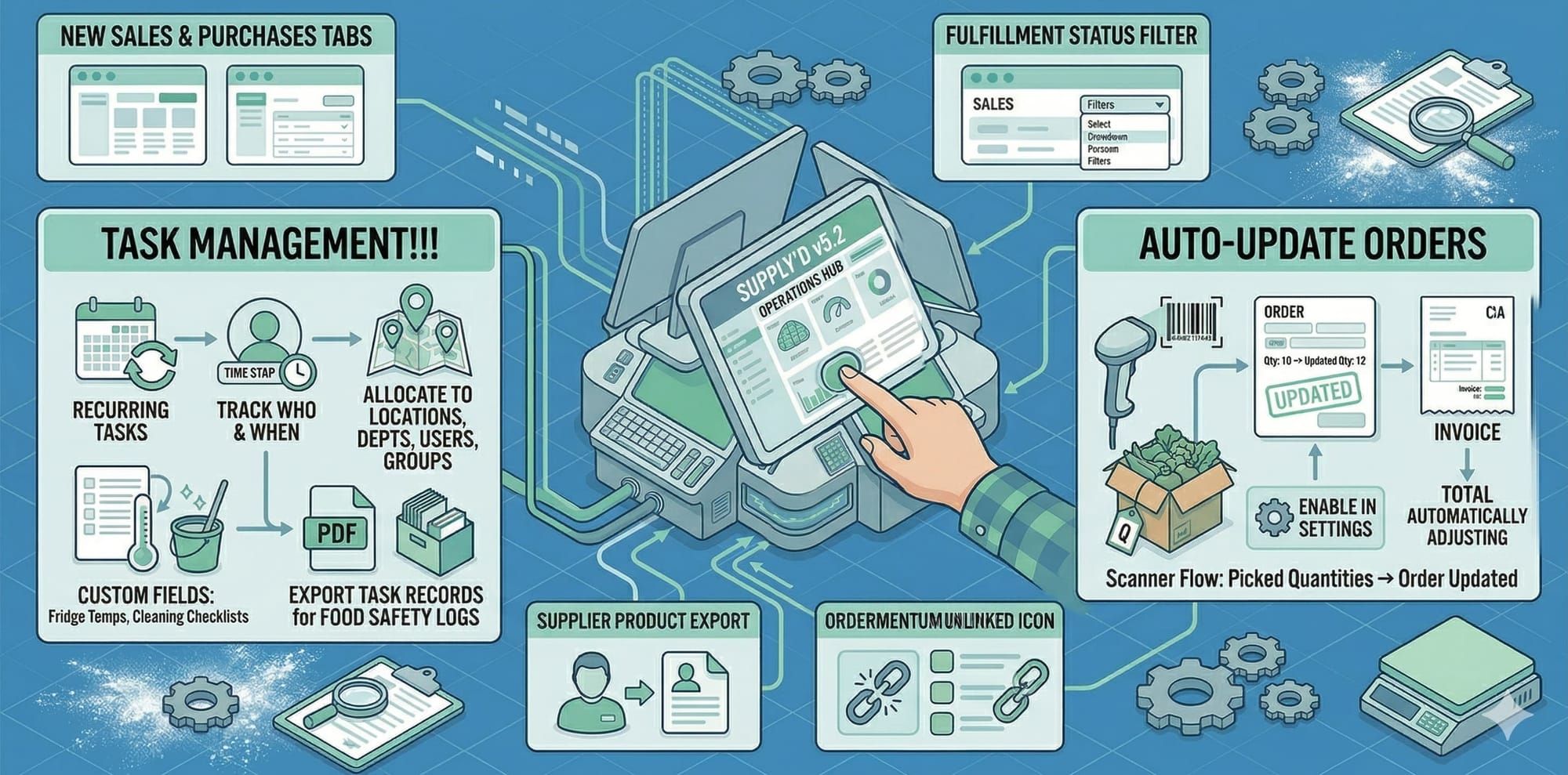
We are back with another exciting update! Supply’d V5.2 is here, and this time we are focusing on bringing more of your daily operations directly into the platform. With a brand-new Task Management suite, smarter order fulfilment, and several quality-of-life workflow upgrades, this release is all about saving you time and keeping your team aligned.
Here is everything new in V5.2!
Introducing Task Management!!!
Why juggle separate apps or paper checklists when your team is already working in Supply'd? We’ve built a comprehensive Task Management system directly into the platform to help you track daily duties and meet your compliance goals with ease.
- Centralised Tracking: Create one-off or recurring tasks and easily track exactly who performed them and when.
- Flexible Allocation: Assign tasks to specific locations, departments, or individual users. You can even use groups to organise tasks by shifts/time of day—perfect for setting up morning, midday, and afternoon routines.
- Health & Safety Compliance: Meet your rigorous compliance requirements by adding custom fields to your tasks. Now you can seamlessly track fridge temperatures, complete cleaning checklists, and log other specific, measurable results.
- Digital Food Safety Logs: Say goodbye to filing cabinets full of paper. You can now export your task records to fully digitalise your Food Safety Program logs!
Auto-Update Orders
We've introduced a major time-saver for teams using our scanner-based pick/pack flows. You can now set Supply'd to automatically update your sales orders based on the exact quantities your team picks!
- How it works: When enabled in your order settings, Supply'd will automatically update the sales order to reflect the actual picked quantities after packing is complete. It seamlessly updates the order and the final invoice amounts and totals accordingly.
- Note: This automation is currently exclusively available for scanner-based pick/pack workflows.
Workflow & Order Improvements
We are always looking for ways to make your daily navigation faster and more intuitive. V5.2 brings several highly requested tweaks:
- Clearer Customer & Supplier Tabs: The generic "Orders" tabs on the Customers and Suppliers screens have been updated to Sales and Purchases, respectively. We've also improved layout consistency so these pages will reliably pull your preferred table layouts.
- Supplier Product Exports: It’s back! We have reinstated the ability to export product data directly from the Suppliers screen, allowing you to easily pull a list of products tied to a single, specific supplier.
- Fulfillment Status Filter: We’ve added a new filter to the Sales screen so you can quickly filter orders by their fulfillment status, making it effortless to separate your pending orders from your completed ones.
- Ordermentum Visibility: For our users integrating with Ordermentum, any orders coming from customers who are not yet linked to Supply'd will now display a clear "unlinked" icon on the Sales screen, so you can identify and link them immediately.
Plus More!
As always, V5.2 includes a large batch of minor improvements, background optimisations, and bug fixes across the entire system to keep your operations running smoothly.